
Useful Linux Commands
To list all the users: cmd:cat /etc/passwd To delete the user in linux: -> we can able to delete the users from ther root user or sudo user. cmd:deluser user_name To see the contents of the file: -> We can use 'less'…
To list all the users:
cmd:cat /etc/passwd

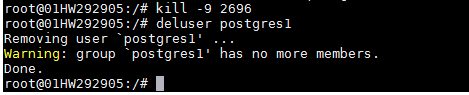
To delete the user in linux:
-> we can able to delete the users from ther root user or sudo user.
cmd:deluser user_name
To see the contents of the file:
-> We can use ‘less’ then file name to see the contents of the file to close type ‘q’ then it will exit.

To Edit the file:
-> If we want to edit the content of a file then
1. Use Vi file_name
-> To search the line Esc+/ then type the search pattern press enter then the cursor poiting to the line.
-> To edit or insert Esc+i then press enter
-> To save or write out :wq
2. Use nano file_name
-> To write out or save use ctrl+o then press enter
-> To exit press ctrl+enter
Write a query that shows each order status and how many orders have it — but only statuses with more than 1 order.