
Orcale DataBase Set up in Windows
Go to orcale.com Go to downloads as shown in the image and select the compataible version of the system by accepting the license and click on it to download. Provide the login details if already have an account with the oracle. Extract…
Go to orcale.com
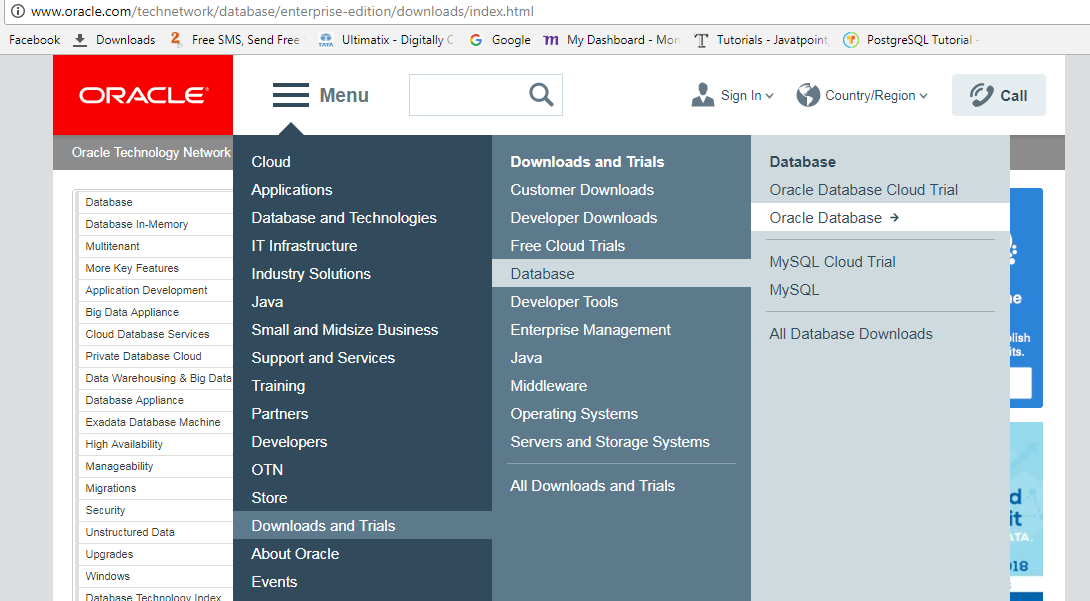
- Go to downloads as shown in the image and select the compataible version of the system by accepting the license and click on it to download.
- Provide the login details if already have an account with the oracle.
- Extract the downloaded file.
- Open a folder called database in that run the file setup.exe which invokes the oracle universal installer.
- skip the first screen regarding security patches etc.
- In next screen select the first radio button create and configure database and click the next button.he
- specify the class as desktop or server which we need.
- provide the username and password if we want to create the new user account for the software instance.
- Provide the basic details in the next screen and click on next button and then click install finally click on ok
To Connect to the Database:
1.Goto cmd and and type the cmd and press enter. Here the demodb is the name of the database we have provided at the time of installation.
cmd: set ORACLE_SID=demodb
2. To check whether it is connected or not if it is set correctly then displays the name of the database as demodb.
cmd: echo %ORACLE_SID%
3. set the oracle home to the location where the software is installed.
cmd:set ORACLE_HOME=c:/app/sasi/product/12.1.0/dbhome_1
4.To check whether it is connected or not if it is set correctly
cmd: echo %ORACLE_HOME%
5. To connect to the sqlplus type the cmd then it will prompt with sql
cmd:sqlplus /nolog
6. Now connect to the database
cmd: connect / as sysdba;
7. To know the name of the database to whcih we have connected then it will display the name.
cmd: select name from v$database;
8. To quit from the database type exit
Write a query that shows each order status and how many orders have it — but only statuses with more than 1 order.